Webflow vs WordPress in 2026: Which Is Better for Your Website?

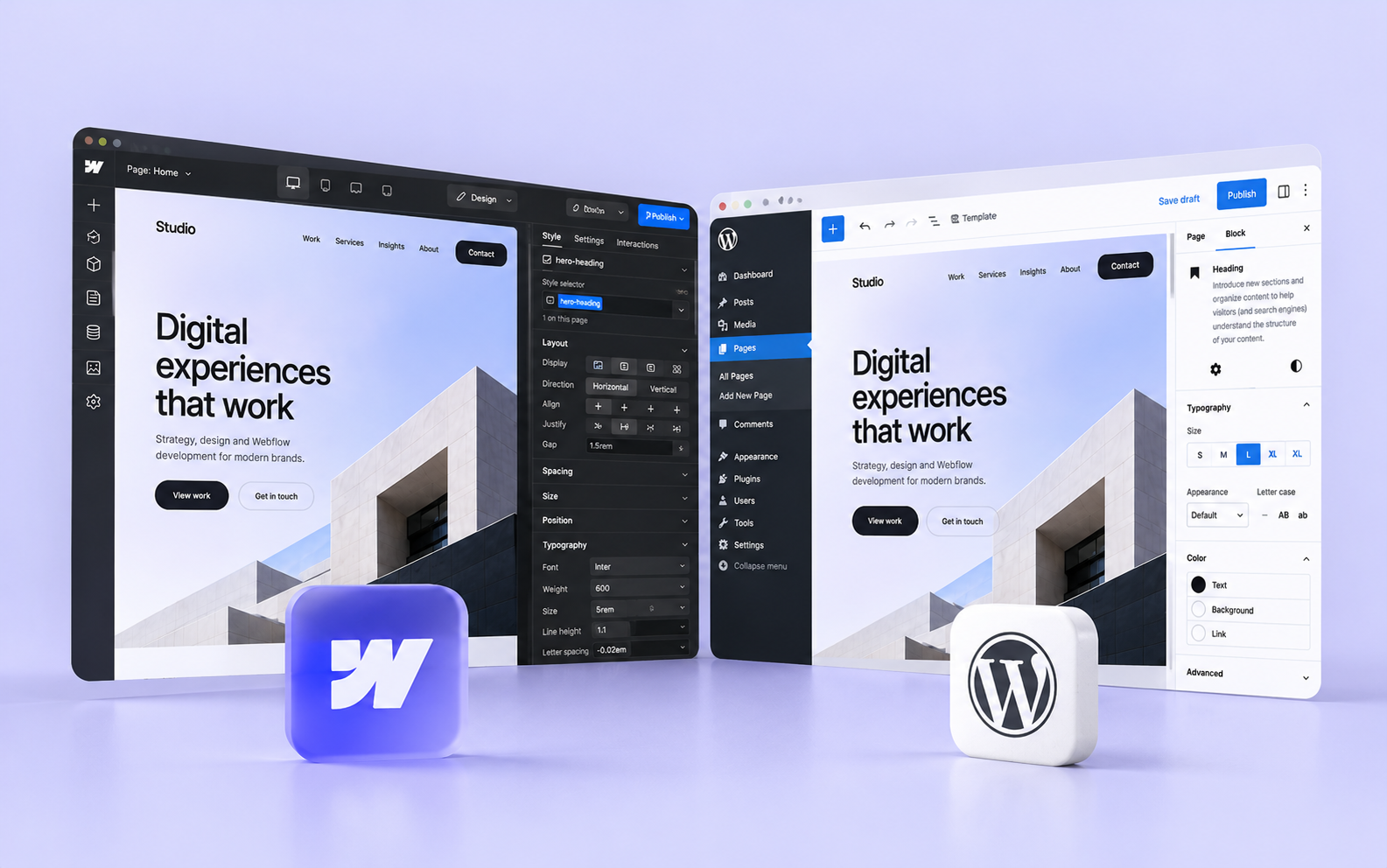
Webflow and WordPress are two popular platforms for building websites, but they take quite different approaches to development and content management. WordPress is an open-source system with a huge ecosystem of plugins and themes, while Webflow combines visual development, CMS and managed hosting in one platform. Both can produce excellent websites, although the experience of building and maintaining them can be very different.
I work primarily with Webflow, so it's naturally my preferred platform for most projects. However, I wouldn't recommend it to every client. Choosing the right technology depends on what you're building, how your team will manage the website and what functionality you might need in the future.
If you're comparing Webflow and WordPress for your next website, here are the differences I think are worth considering.
Design flexibility and development
One of the reasons I enjoy working with Webflow is the control it gives me over design and implementation. Instead of starting with a predefined theme, I can build layouts visually using familiar web concepts such as HTML structure, CSS classes, grid and flexbox. This makes it relatively straightforward to translate a custom Figma design into a working website while maintaining control over responsiveness, animations and interactions.
WordPress can achieve the same level of visual customization, but the development process often looks different. Depending on the project, you might work with a block theme, a visual page builder such as Elementor or a completely custom theme. Each approach has advantages, although adding more plugins and dependencies can make the website harder to maintain if they aren't managed carefully.
Modern WordPress is also considerably more flexible than it used to be. Its Site Editor allows users to modify templates, layouts and global styles without writing code. Developers can create custom blocks and reusable patterns, giving content editors considerable flexibility while maintaining consistency across the website.
For custom-designed marketing websites, I generally prefer Webflow's development workflow. I find it easier to maintain a clear structure and implement more sophisticated interactions without relying on additional page-building tools. However, both platforms are capable of producing excellent designs, and the quality of the result depends much more on the implementation than on the platform itself.
Content management and everyday maintenance
A website should be easy to manage after launch, particularly when the client has a marketing team that regularly publishes content, updates services or creates new landing pages. I think this is one of the most important things to consider when choosing a CMS, yet it's often overlooked during the initial design process.
Webflow allows developers to create structured CMS Collections for articles, projects, services, team members and other types of content. Once these are configured, editors can update individual items without affecting the underlying design. Reusable components also make it possible to create new pages using predefined sections, which helps teams maintain visual consistency without involving a developer in every change.
WordPress offers similar capabilities through its Block Editor, custom post types and reusable patterns. A properly configured WordPress website can be just as convenient for content editors, sometimes offering even more flexibility depending on the editorial workflow. The problems usually begin when a website relies on too many plugins, inconsistent page structures or a CMS that wasn't designed around how the client actually works.
I've seen how much difference a well-planned content structure can make. If updating information takes several steps, requires technical knowledge or creates a risk of breaking the layout, the CMS probably needs improvement. That applies equally to WordPress and Webflow, although I find Webflow particularly convenient for building structured, design-driven websites.
Performance, hosting and security
Webflow includes managed hosting, SSL certificates, a global CDN and infrastructure maintenance. You don't need to configure a separate server, manage WordPress core updates or regularly check whether installed plugins are compatible with one another. For businesses without a dedicated technical team, having these responsibilities handled by the platform can be a significant advantage.
WordPress gives you more control over the hosting environment. You can choose your provider, configure the server and decide how caching, security and backups should work. That flexibility can be useful, particularly for projects with specific infrastructure requirements, although it also introduces additional responsibilities.
It's worth mentioning that managed WordPress hosting can take care of much of this work. WordPress also supports automatic updates, so the idea that every WordPress website requires constant manual maintenance is outdated. The amount of work involved depends on the hosting provider, plugins and overall architecture.
Performance is another area where comparisons are often misleading. Webflow doesn't automatically produce faster websites than WordPress, and a well-optimized WordPress website can achieve excellent Core Web Vitals. Both platforms can suffer from oversized images, excessive JavaScript, poorly implemented animations and unnecessary third-party integrations.
Webflow provides a solid hosting foundation, but there's still plenty of room for optimization during development. I pay attention to image formats, font loading, JavaScript execution and how interactions affect performance, particularly on more complex websites. These decisions usually matter more than the platform's reputation for being fast.
From a security perspective, Webflow has the advantage of removing much of the infrastructure management from the client's responsibilities. WordPress offers greater control, but the security of the installation also depends on keeping its components updated and properly configured. Neither platform eliminates the need to consider security when implementing custom code, forms or external integrations.
Custom functionality, integrations and SEO
WordPress has a significant advantage when it comes to its ecosystem. Thousands of plugins and a mature developer community make it possible to extend the platform in almost any direction. If you're building a membership platform, learning management system or complex online store, there's a good chance an established WordPress solution already exists.
WooCommerce is a particularly good example. It provides extensive functionality for managing products, payments, shipping and checkout processes. For e-commerce projects with complicated requirements, WordPress combined with WooCommerce can be a more practical choice than trying to reproduce the same functionality using several separate services.
Webflow is primarily focused on websites, but it can also support more advanced functionality through custom code, APIs and external services. I've used Cloudflare Workers alongside Webflow to build custom integrations, process external data and implement functionality that wasn't available natively. This approach gives you considerable flexibility without necessarily introducing a traditional backend application.
However, just because something can be built doesn't mean it's the most practical solution. If a project requires extensive user management, complicated permissions or sophisticated backend functionality, I'd evaluate the available platforms before deciding whether Webflow is the right fit. In some cases, WordPress or a dedicated web application framework may be more suitable.
When it comes to SEO, both platforms provide the tools needed to build websites that perform well in search engines. Webflow includes settings for metadata, canonical URLs, redirects and sitemaps, while WordPress offers similar capabilities through its core functionality and SEO plugins. Neither platform guarantees better rankings simply because of the technology behind it. Content quality, technical implementation and overall usability remain much more important.
Multilingual functionality is another consideration. Webflow Localize supports translated content, localized URLs and SEO metadata, while WordPress offers established solutions such as WPML and Polylang. I've worked on Webflow projects with multiple languages and complex CMS structures, so I wouldn't automatically recommend WordPress for multilingual websites. The better choice depends on how translations will be managed, how much content is involved and the requirements of the editorial team.
Pricing and long-term flexibility
Comparing Webflow and WordPress purely by their monthly subscription costs doesn't tell you much about the actual cost of running a website.
WordPress itself is free and open source, but you'll need hosting and potentially premium plugins, themes or ongoing technical support. Webflow has subscription-based pricing that includes hosting and a range of built-in features. Depending on the project, you may also need additional services for localization, advanced functionality or integrations.
For a relatively straightforward business website, Webflow's pricing can be predictable because many essential services are included. A WordPress website with inexpensive hosting may cost less, but a more complicated setup with premium plugins and regular maintenance can become considerably more expensive over time. The opposite is also possible, particularly when Webflow's usage limits or additional services become relevant.
I'd also consider how much time the client spends managing the website. If routine content updates require developer assistance, that has a cost, even when the hosting itself is inexpensive. A well-structured CMS can save a business considerable time over several years, regardless of which platform it uses.
Another important difference is ownership and portability. WordPress gives you direct access to the underlying software, files and database, making it relatively straightforward to move between hosting providers. Webflow is a managed platform, so you're more dependent on its infrastructure and pricing.
Webflow allows you to export static HTML, CSS, JavaScript and assets on eligible Workspace plans. CMS content can also be exported separately, but dynamic CMS functionality and certain other features won't work in the exported static website. Moving to another platform may therefore require rebuilding parts of the website.
For many companies, this isn't a problem. They prefer the convenience of managed infrastructure and are comfortable relying on a platform like Webflow. However, businesses with strict hosting requirements or long-term plans involving infrastructure changes should consider these limitations before committing.
A real example: moving from WordPress to Webflow
One project that illustrates these differences is Zieleniec Sport Arena, one of Poland's largest ski resorts. Its previous website was built on WordPress, but the existing structure had become difficult to maintain, particularly when dealing with frequently changing information about ski slopes, lifts and weather conditions.
I rebuilt the website in Webflow with a new CMS architecture, multilingual content and custom functionality for managing the resort's infrastructure. I also used Cloudflare Workers to integrate external data sources and provide up-to-date information about conditions on the slopes. The goal was to make the website easier for visitors to use while giving the resort's team more control over everyday content updates.
The previous WordPress implementation wasn't necessarily limited by the platform itself. Many of the same requirements could have been addressed with a properly designed WordPress architecture. However, Webflow was a good fit for the new website because it allowed me to combine custom design, structured content management and additional integrations in a way that worked well for the client.
This is why I think choosing a CMS should start with understanding the actual problems a business needs to solve. Replacing one platform with another doesn't automatically improve a website. The architecture, usability and quality of implementation matter just as much.
Which platform would I choose?
For most company websites, marketing websites and portfolios, Webflow would be my first choice. I like how it combines visual development, structured content management and managed hosting, particularly when a project requires a custom design and the client wants to manage content independently after launch.
WordPress is worth considering when a project depends on its extensive plugin ecosystem, requires greater control over hosting and infrastructure or involves complex functionality that already has a mature WordPress solution. It can also be a good choice for organizations with established WordPress workflows and teams that are comfortable maintaining the platform.
There are also projects where neither platform is ideal. A complex application with advanced user permissions, extensive business logic or highly customized workflows might be better built using a dedicated application framework.
When discussing a new website with a client, I try to understand the requirements before recommending a particular solution. I work primarily with Webflow because it's a great fit for the types of projects I build, but I don't think it makes sense to force every website into the same technology.
The platform is an important decision, but what matters in the long run is whether the website is reliable, easy to manage and flexible enough to support the business as its needs change.
Need a scalable website for your business?