How to Make Your Webflow Site Visible in AI Search

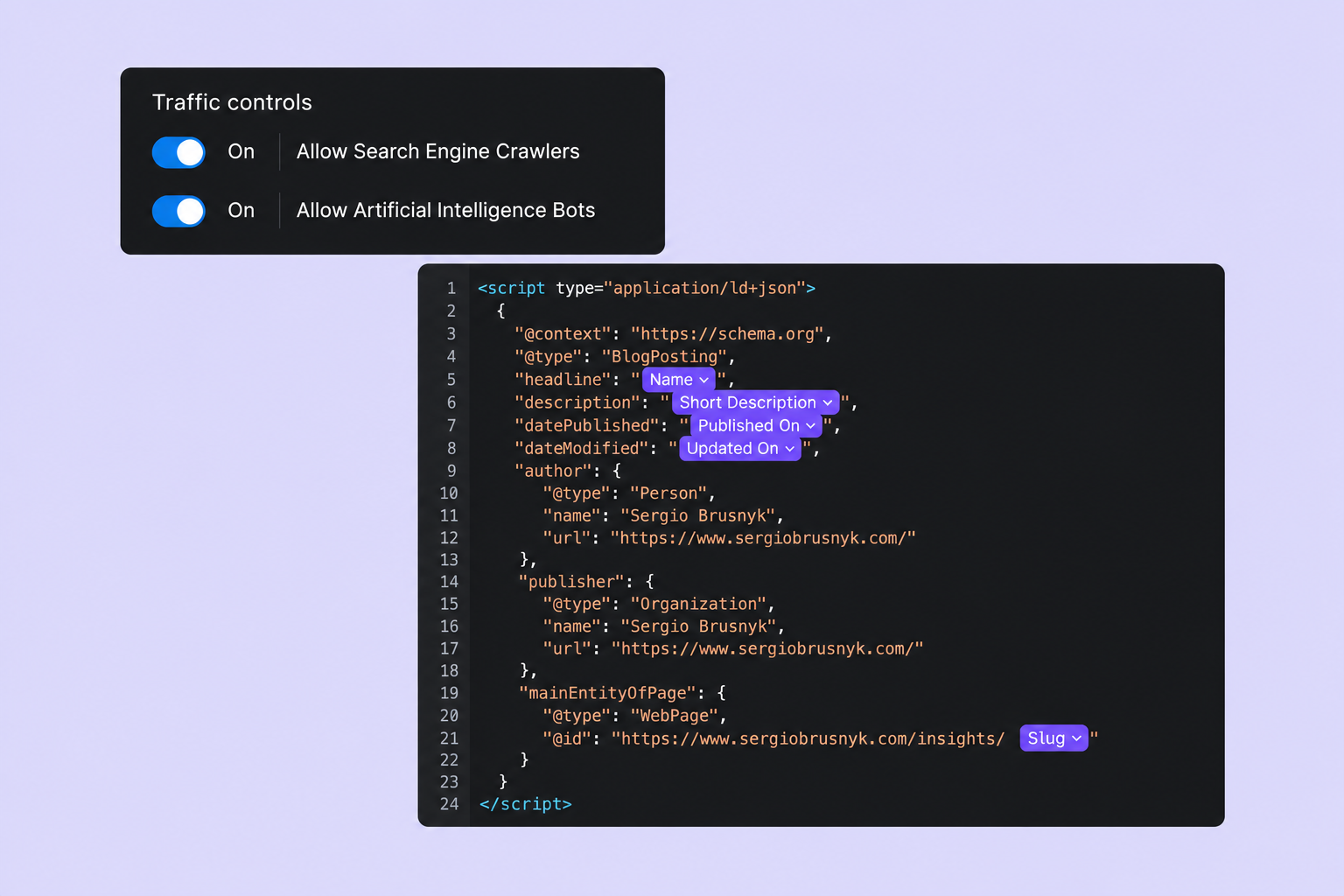
More people are using ChatGPT, Claude and Google's AI-powered search features to research products, compare services and find businesses. Instead of browsing multiple websites, they can ask a question and get an answer based on information gathered from different sources.
For website owners, this creates another way to reach potential customers. Your website might appear as a source in an AI-generated answer, even when someone hasn't searched for your business directly. The question is what you can actually do to improve those chances.
You'll probably come across terms like AEO (Answer Engine Optimization) and GEO (Generative Engine Optimization). While these describe optimization for AI-powered search, there's a lot of questionable advice around them. Some recommendations are useful, others are based on assumptions, and a few are simply repackaged SEO practices.
The good news is that you don't need to rebuild your Webflow website around AI. Most of the work starts with getting the fundamentals right.
AI search still relies on traditional SEO
Despite all the attention around AI search, traditional SEO hasn't suddenly become irrelevant. Google's AI Overviews and AI Mode use its existing search infrastructure to find relevant information. Google also confirms that there are no additional technical requirements or special optimizations needed to appear in these features.
This means your website still needs to be accessible to search engines, properly indexed and supported by useful content. A well-organized website with clear navigation, meaningful internal links and relevant information is a better starting point than experimenting with AI-specific techniques.
For Webflow websites, I'd begin by checking page titles, meta descriptions, heading structure, canonical URLs and the XML sitemap. Webflow provides built-in settings for most of these, but having the functionality available doesn't mean everything has been configured correctly.
I'd also check Google Search Console to see whether important pages are indexed and identify any crawling issues. If Google can't properly access your content, optimizing it for AI search should be the last thing on your list.
Google explains this in more detail in its official documentation on AI search features. Google for Developers
Make sure AI crawlers can access your website
One technical detail worth checking is whether AI search engines are actually allowed to access your content. Different platforms use different crawlers, and not all of them serve the same purpose.
OpenAI, for example, uses OAI-SearchBot to discover websites for ChatGPT search results. It also operates GPTBot, which collects information that may be used to train its AI models. These are separate systems, meaning you can allow your website to appear in ChatGPT search while restricting its use for model training.
You can review OpenAI's crawler documentation here. OpenAI Platform
In Webflow, open Site settings → SEO to review your crawler settings and robots.txt rules. You can also check the published file directly by visiting yourdomain.com/robots.txt.
It's worth paying attention to any security tools you're using alongside Webflow. For example, if your website runs behind Cloudflare, its firewall or bot protection settings might block legitimate crawlers even when they're allowed in robots.txt.
This doesn't mean you should give every bot unrestricted access. The important part is understanding which crawlers you want to allow and making sure your security configuration doesn't interfere with them. Webflow's crawler configuration documentation explains how to manage these settings.
Give AI search engines something useful to reference
Technical optimization matters, but it won't make up for content that doesn't say much.
Think about a typical company website. You'll often find statements like "We deliver innovative digital solutions" or "We help businesses achieve their goals." They sound professional enough, but they don't explain what the company actually does.
Compare that with something more specific:
"We build Webflow websites with multilingual CMS structures, custom integrations and animations, allowing marketing teams to manage content without relying on developers."
The second version gives visitors a clearer understanding of the service. It also provides specific information that search engines can interpret and potentially reference when answering relevant questions.
This applies to more than just your homepage. Service pages should explain what's included, what problems you solve and who your services are for. Blog articles should answer real questions, provide useful examples and avoid repeating information that's already available everywhere.
I also wouldn't force every heading into a question or add FAQ sections to every page. There's no convincing evidence that these formatting tricks automatically improve AI visibility. A logical content structure is useful, but it should primarily help people understand what they're reading.
One thing that deserves more attention is original experience. If you've solved an unusual technical problem, implemented a complex integration or found a better way to structure a Webflow CMS, write about it. That kind of information is more valuable than another generic article covering the same basic SEO recommendations.
Google's guidance for generative AI search specifically emphasizes original perspectives and information based on firsthand experience. Google for Developers
Structured data and llms.txt: are they worth implementing?
Structured data is another area where AI search advice can get confusing. You'll sometimes see claims that adding the right schema markup dramatically increases your chances of being cited by AI. There isn't sufficient evidence to support that.
Structured data, usually implemented through JSON-LD, helps search engines interpret information about your website. Depending on the page, you might use Organization schema to describe your business, Article schema for blog posts or BreadcrumbList to clarify your website's structure.
These can be useful additions, particularly when they're implemented correctly. However, Google explicitly states that no special schema markup is required for AI Overviews or AI Mode.
Webflow makes implementation relatively straightforward. You can add structured data through the Schema markup field in Page settings, either manually or with Webflow AI. For CMS pages, dynamic fields can be used to generate relevant information for individual Collection items.
I recommend validating the output with Schema Markup Validator, especially when working with dynamically generated content. Also, make sure the structured data accurately represents what's visible on the page.
Another topic you'll probably encounter is llms.txt. It's a proposed format that provides AI systems with a structured overview of your website, typically including descriptions and links to important pages.
Webflow supports uploading this file directly through Site settings → SEO → LLMs.txt, so implementing it is relatively easy. However, the standard is still experimental, and there's no reliable evidence that it improves visibility in major AI search engines.
Would I add it to a Webflow website? Possibly, if everything else was already working well. But I wouldn't prioritize it over improving content, fixing indexing problems or implementing proper metadata.
Webflow itself acknowledges that the impact of llms.txt remains unproven. You can read more in its official documentation. Webflow Help Center
Use Webflow's tools and measure the results
Webflow has been introducing features designed to help website owners improve their visibility in both traditional and AI-powered search.
The built-in Audit panel can identify missing page titles, meta descriptions, image alt text and structured data. You can review the issues manually or use Webflow AI to generate suggestions, although I'd always check the output before publishing.
For larger organizations, Webflow also offers dedicated AEO functionality. Depending on the plan and add-ons, these tools can analyze AI search visibility, identify technical issues and recommend improvements.
They're useful additions, but they won't automatically make a website appear in ChatGPT or Google AI Overviews. Webflow Help Center
Measuring AI search performance is also becoming easier. In February 2026, Microsoft introduced an AI Performance report in Bing Webmaster Tools, showing how frequently websites are cited across supported AI experiences. In June, it expanded the available insights to include topics, search intent and citation share.
This gives website owners a way to understand which pages are being referenced and identify opportunities to improve their content. You can read about the updates on the Bing Webmaster Blog. Bing Blogs
It's also worth monitoring referral traffic from AI platforms through your analytics tools. Keep in mind that being mentioned in an AI-generated answer doesn't necessarily result in a website visit, and not every visit will be attributed correctly.
Ultimately, citations are interesting, but they shouldn't become your only measure of success. What matters is whether your website attracts relevant visitors and helps turn them into customers.
Closing thoughts
There's no guaranteed method for getting cited by ChatGPT, Claude or Google AI Overviews. These systems are still evolving, and the information they choose to reference can vary between searches.
What you can control is the quality of your website, how accessible its content is and how clearly it communicates what your business offers. Those are worthwhile investments regardless of where people search for information.
Need a scalable website for your business?
